 Bluefoot Diary中文
How to practise rhythm: listen, tap and read timing feedback
Listen to the complete example, tap it yourself, then review your timing. Distinguish a note onset from a moment you should wait: a rest takes time but does not need a tap.
Choose a tempo and difficulty you can hear clearly
Open Settings in rhythm practice. Try the basic level at 80 BPM first. A round has five questions in 4/4. Get comfortable with quarter notes, half notes and rests before adding eighth notes, syncopation and dots, or sixteenth notes.
At 80 BPM, a beat lasts 750 ms and a four-beat bar lasts three seconds. Count one, two, three, four internally, noting how many beats each long note or rest occupies. Applying a different tempo or difficulty begins a new round.
How do you count rests and know when to tap?
Count this example bar in 4/4 at 80 BPM: a quarter note on beat one, a quarter rest on beat two, two eighth notes on beat three, and a quarter note on beat four. This is a separate counting example; the tool generates random questions.
| Count | Action | Time from the first tap |
|---|---|---|
| 1 | Tap | 0 ms |
| 2 | Keep counting; do not tap | 750 ms |
| 3 and | Tap on each eighth note | 1500, 1875 ms |
| 4 | Tap | 2250 ms |
Keep counting “1 and 2 and 3 and 4 and” through the rest. A dotted eighth occupies ¾ of a beat, followed by a sixteenth occupying ¼: together they fill one beat, with unequal spacing. For syncopation, identify notes that begin on a weaker position and continue across a stronger one; do not add a tap during a held note.
Listen through the count-in and the whole example
- Press Listen and hear the four-beat count-in.
- Follow the notation through the example, counting the gaps between note onsets.
- Wait for playback to finish and the tap area to become ready before starting your attempt.
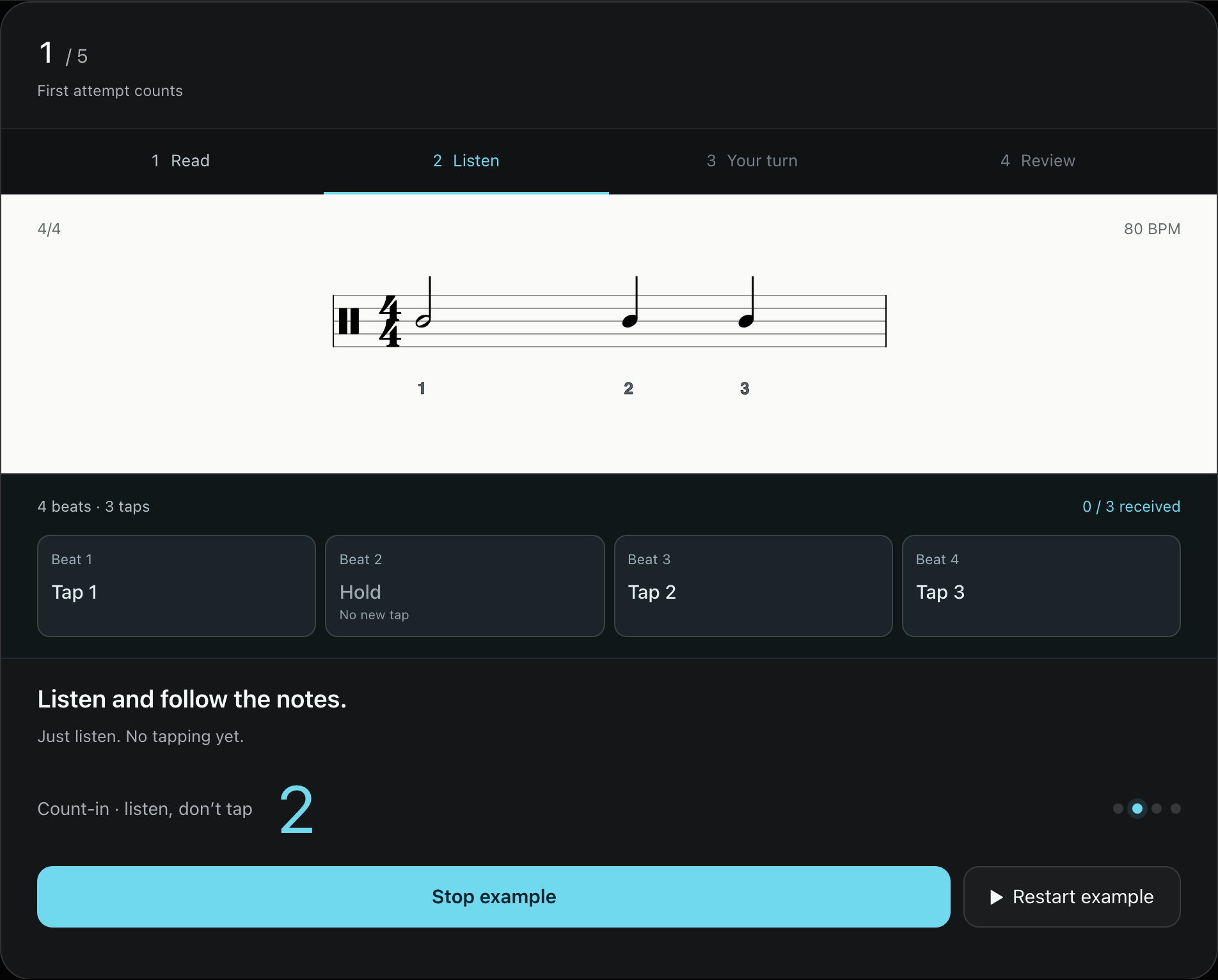
The count-in establishes the tempo; it is not part of your answer. Your first tap sets the time origin of the attempt, so you do not need to hit a particular instant at the end of a countdown.
Keep counting through rests. The blue progress marker shows progress through the bar; its movement does not mean you should tap every time it passes a position.
Separate timing problems from reading problems
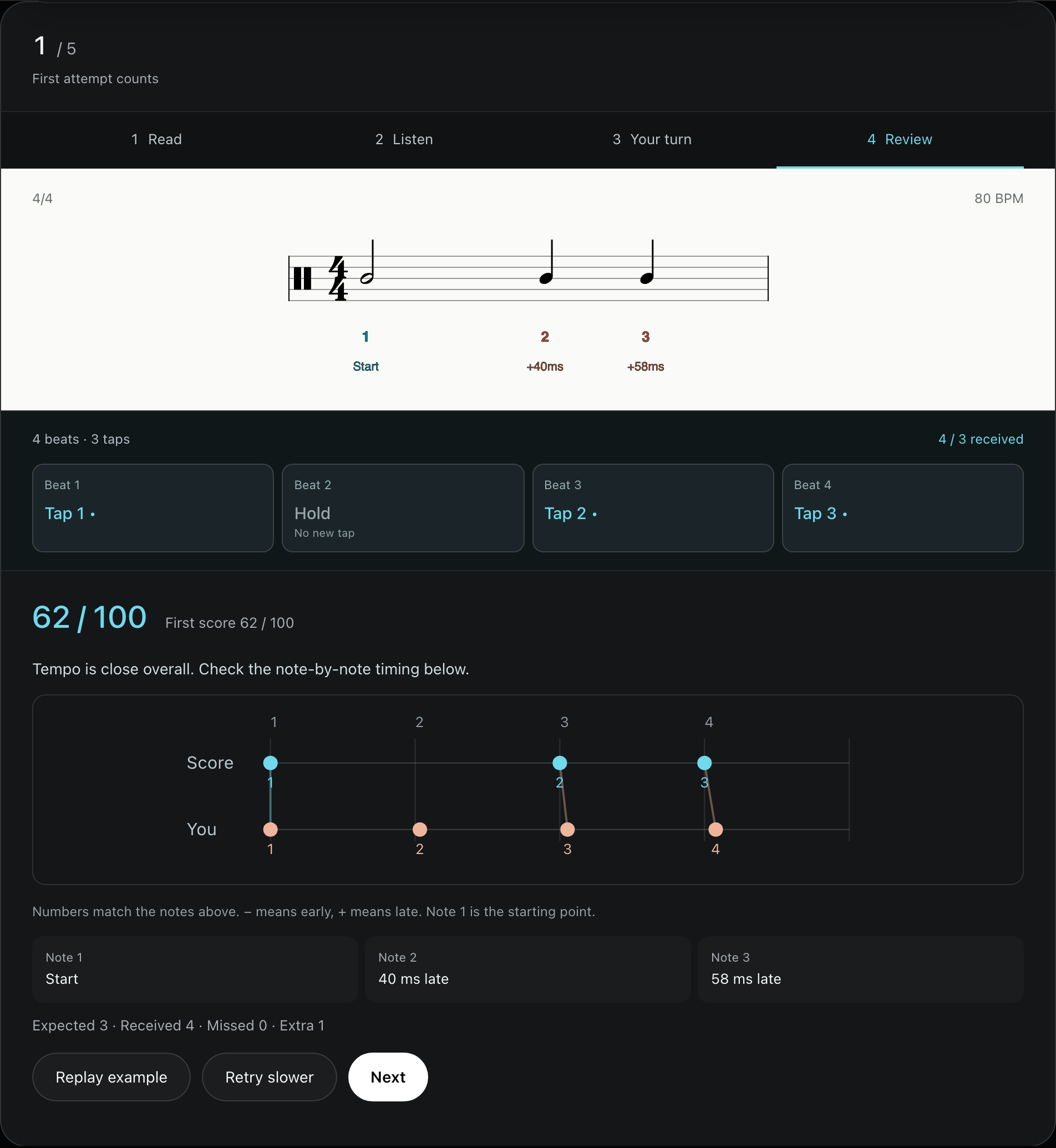
Wait for analysis after the attempt, or press Finish. Check missed and extra taps first, then inspect early and late timing:
| Feedback | Check first |
|---|---|
| Negative: early | Are you anticipating the next beat? |
| Positive: late | Are you falling farther behind? |
| Missed tap | Did you overlook a note onset? |
| Extra tap | Did you tap a rest or trigger twice? |
For example, offsets growing from near zero to +80 and +150 ms suggest checking whether you are gradually slowing down. A missed tap at one repeated location suggests rereading that part of the notation. These are clues about this attempt, not a diagnosis of your playing ability.
Retry one question or simplify the next round
Before retrying, speak the rhythm or count its subdivisions. The first attempt counts toward the round result; retries do not replace it. Stay with one question when a particular spot is difficult. If the whole phrase feels rushed, reduce the tempo or difficulty for a new round.
Use metronome subdivisions for a steady reference, or the BPM-to-milliseconds examples to compare beat lengths. Afterwards, find a short passage in your music with a similar rhythm and reconnect the exercise to a phrase.
Common questions
Does starting late count as a slow reaction?
No. Your first tap sets the time origin. The exercise compares the relative intervals afterwards; it does not score your reaction time to a cue.
Will Bluetooth latency affect the result?
A constant starting delay cancels in relative timing, but varying input delays can change the intervals. Use one input method for a round. If sound feels delayed, try device speakers or wired headphones.