 Bluefoot Diary中文
How to use a metronome: tempo, subdivisions and gradual speed changes
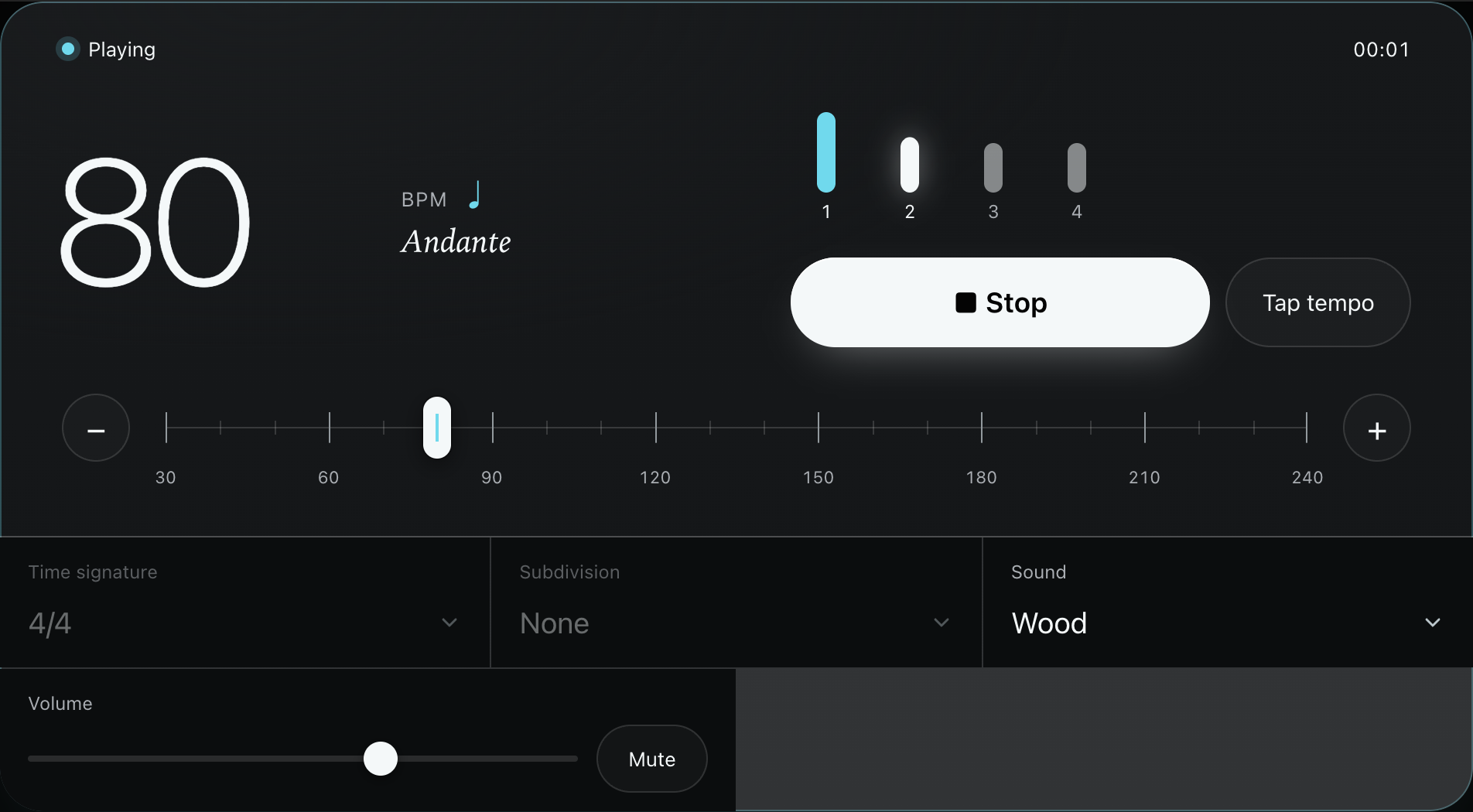
Choose a tempo at which you can finish a phrase, then use the clicks as a steady reference. At 80 BPM in 4/4, clicks are 0.75 seconds apart and there are four beats per bar. Follow that pulse before adding subdivisions or increasing the speed.
Start at 80 BPM in 4/4
- Open the online metronome and set 80 BPM.
- Select 4/4 and subdivision 1. Keep the accent on the first beat.
- Press Start, listen for one bar, then enter on the next accent. Try to keep the beat through a wrong note. If you keep chasing the clicks, stop and lower the tempo.
Unsure of the original tempo? Find BPM by tapping along to a steady phrase first. The song’s measured tempo does not have to be your starting practice tempo.
Choose an accent, subdivision or silent beat
Accents mark the start of a bar or beat group. Subdivisions provide reference points between beats. At 80 BPM:
| Subdivision | Click spacing | Try it for |
|---|---|---|
| 1 | 750 ms | The basic pulse |
| 2 | 375 ms | Even eighth notes |
| 3 | 250 ms | Three notes within one beat |
Adding subdivisions does not change the displayed BPM. Click a beat marker to cycle through accented, normal and silent. A silent beat still takes time: mute beat four, count through it, and check whether you land on the next downbeat. For feedback on early and late taps, try the rhythm listening and tapping exercise.
Convert the note value in a 6/8 tempo marking
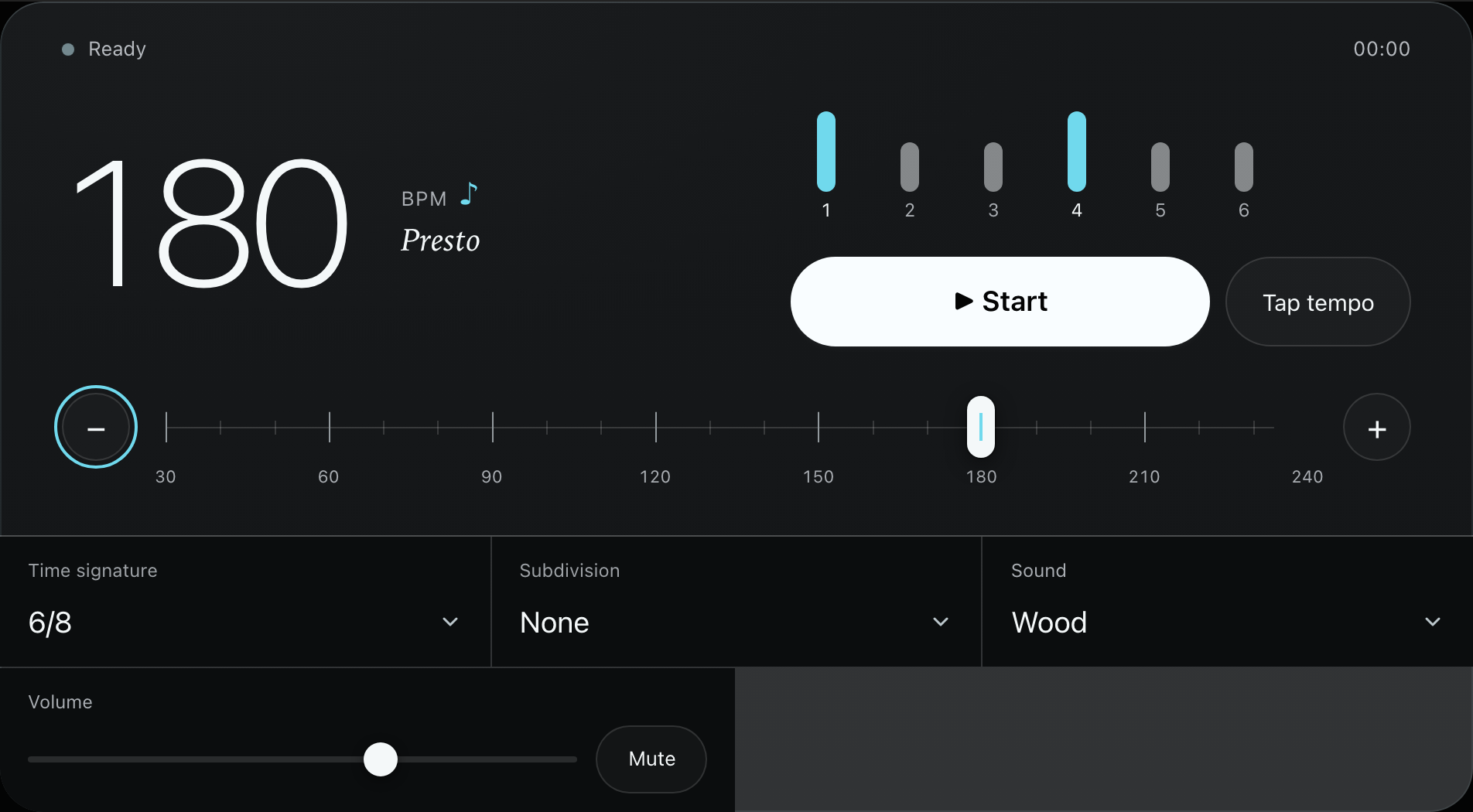
Read the note beside the tempo number first. This tool counts eighth notes in 6/8, with six clicks grouped as two sets of three. If the score says dotted quarter = 60, set 60 × 3 = 180 BPM, because a dotted quarter contains three eighth notes.
You will hear three clicks per second. Each group of three forms one large beat, giving 60 large beats per minute. The music has not become three times faster; the counting unit has changed.
How is 3/4 different from 6/8?
In a typical 3/4 bar, three quarter-note beats each divide into two eighth notes. In 6/8, two dotted-quarter beats each divide into three eighth notes. Six eighth notes in a bar do not determine its grouping. This tool’s six clicks in 6/8 follow the small pulses; the accent groups help you hear the two large beats.
Try a gradual increase from 80 to 88
Open Settings and enable the tempo trainer. Start at 80, target 88, and add 2 BPM every 4 bars. The stages are 80, 82, 84, 86 and 88; the metronome stays at the target once reached.
Repeat the same short phrase at each stage. If a particular stage makes you rush or tense up, stop and lower the start tempo or allow more bars per stage. Some settings lock while the trainer is playing; stop before changing them.
Common questions
Why is there no sound?
Press Start, then check the tool volume, mute setting, device volume and audio output. Playback stops when the page goes into the background; press Start again on return. Bluetooth latency can also affect how the clicks feel.
Does a shared link include every setting?
It includes tempo, meter, subdivision and sound, but not the gradual tempo plan or custom accents. Check those settings on the receiving page before playing.